pi-guardrails
Security hooks for Pi. Prevents dangerous operations, protects env files, gates destructive commands.
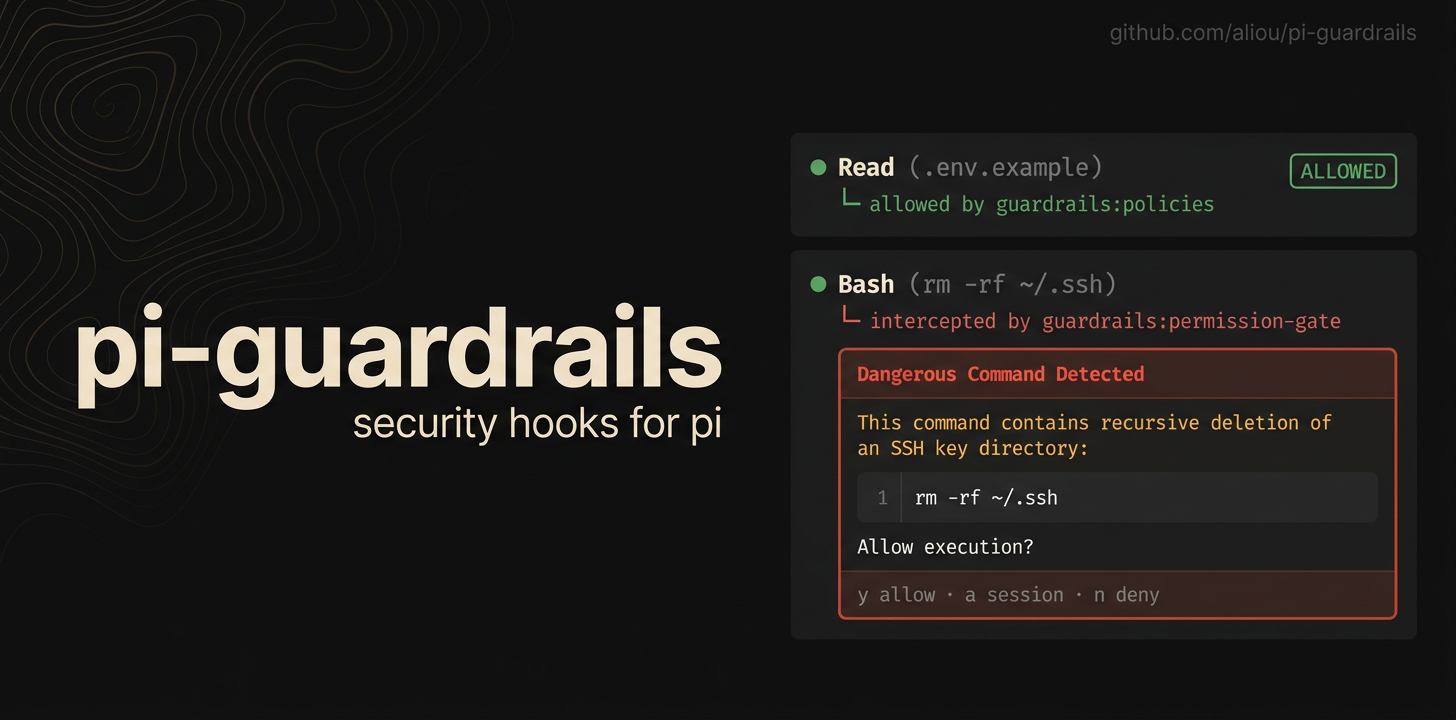
Guardrails adds safety checks to Pi so agents are less likely to read secrets, write protected files, access paths outside the workspace, or run dangerous shell commands by accident.
The package installs five Pi extensions:
- guardrails — file protection policies, settings, onboarding, and examples.
- path-access — controlling access outside the current workspace.
- permission-gate — confirming or blocking risky shell commands.
- herdr — reporting Guardrails approval prompts to Herdr.
- program-status — reporting Guardrails approval prompts to terminals that support the Program Status Protocol.
Install
pi install npm:@aliou/pi-guardrailsFirst run
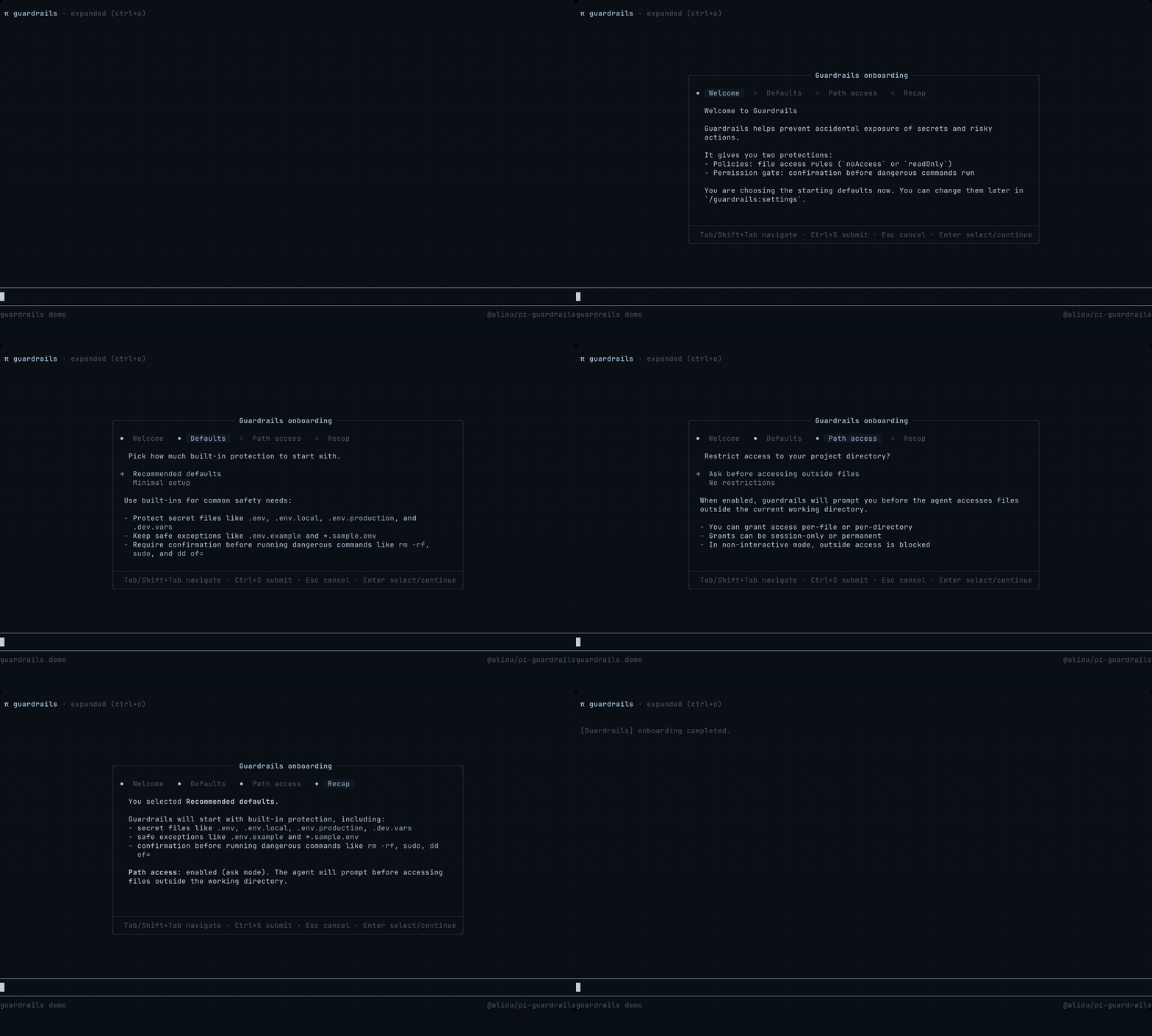
After installing, run the onboarding command to choose a starting setup: /guardrails:onboarding. You can change everything later with /guardrails:settings.
Included extensions
guardrails
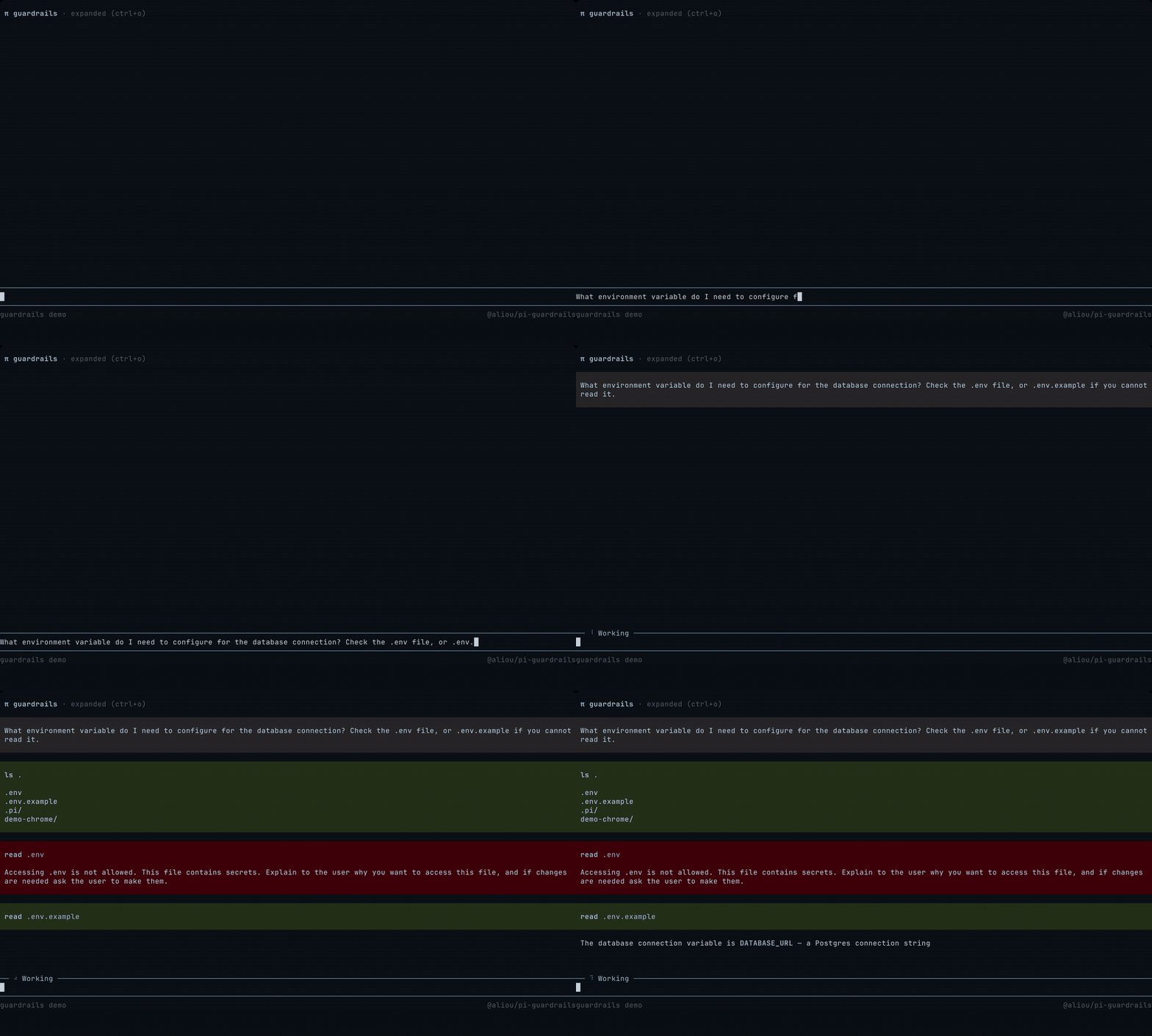
Protects files like .env, private keys, local credentials, database dumps, or any project-specific path you do not want Pi to read or modify without clear intent. Rules respect the current working directory by default and are configurable in the settings UI.
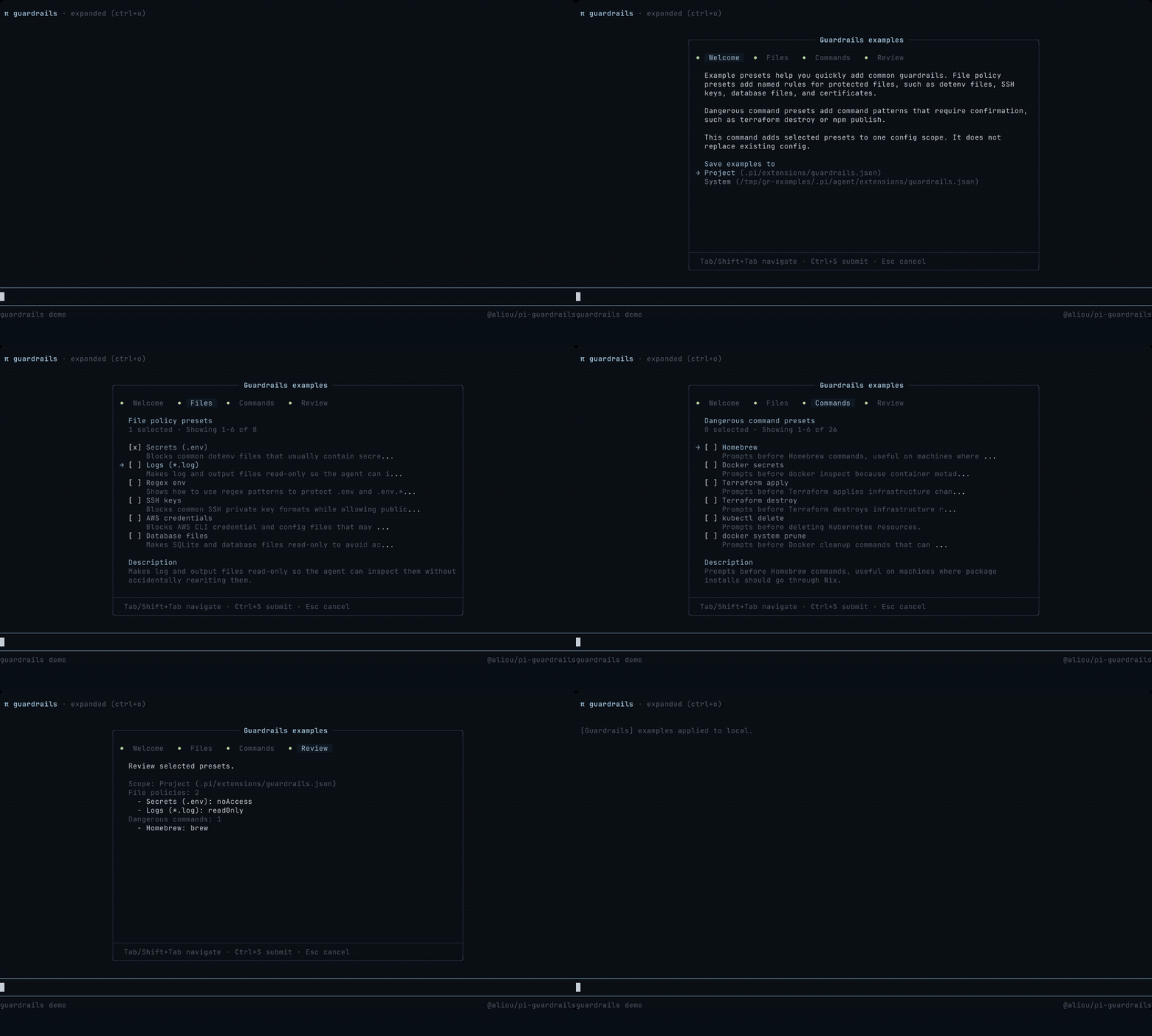
Use /guardrails:examples to add common policy and command presets without replacing your existing config.
path-access
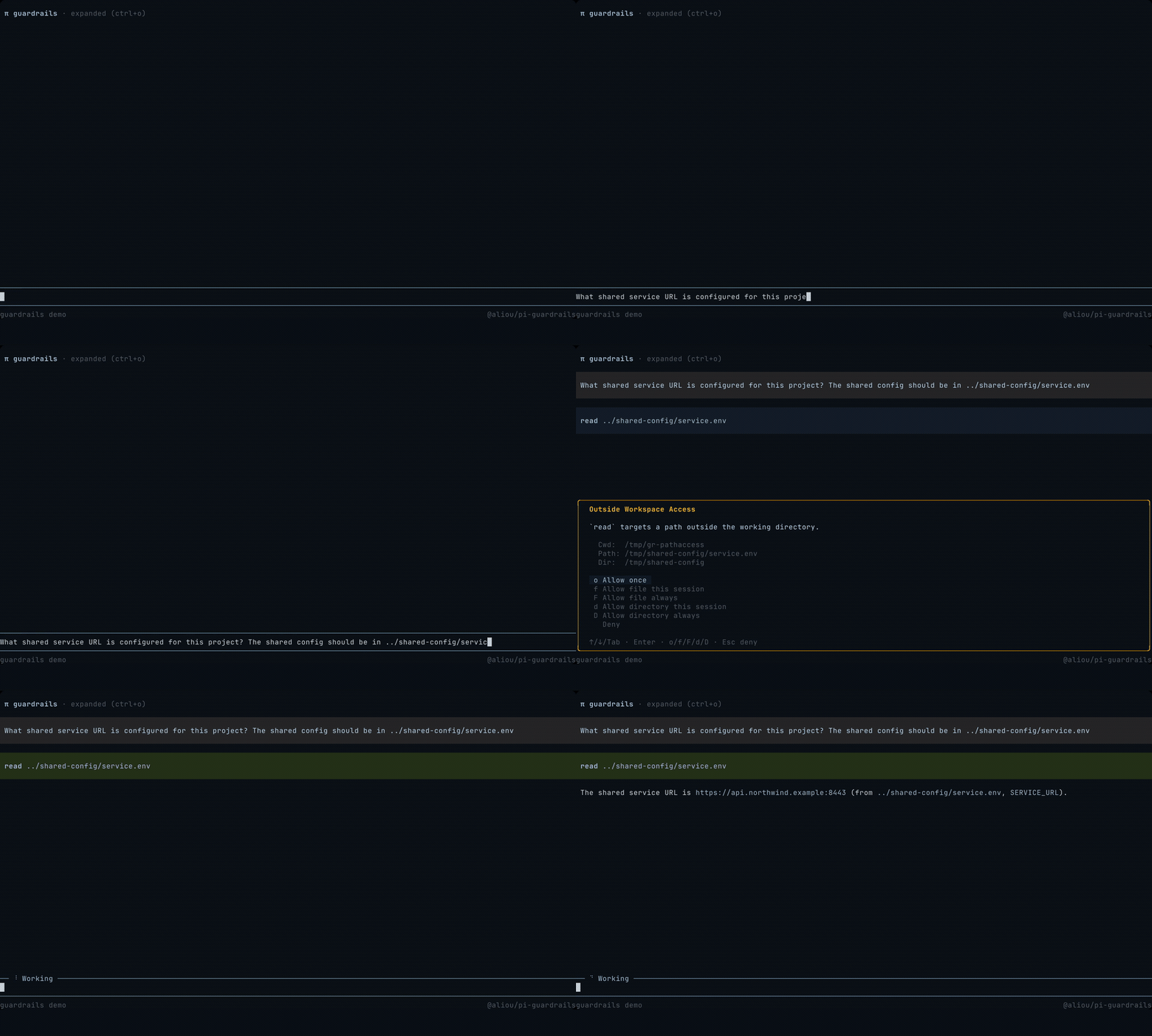
Checks tool calls that target paths outside the current working directory. It can allow, block, or ask before Pi accesses files elsewhere on your machine; in ask mode, you can allow a file or a directory once, for the session, or always. By default, checks apply to both reads and writes outside the workspace, and “always” grants are saved to the project config — both are configurable through /guardrails:settings.
permission-gate
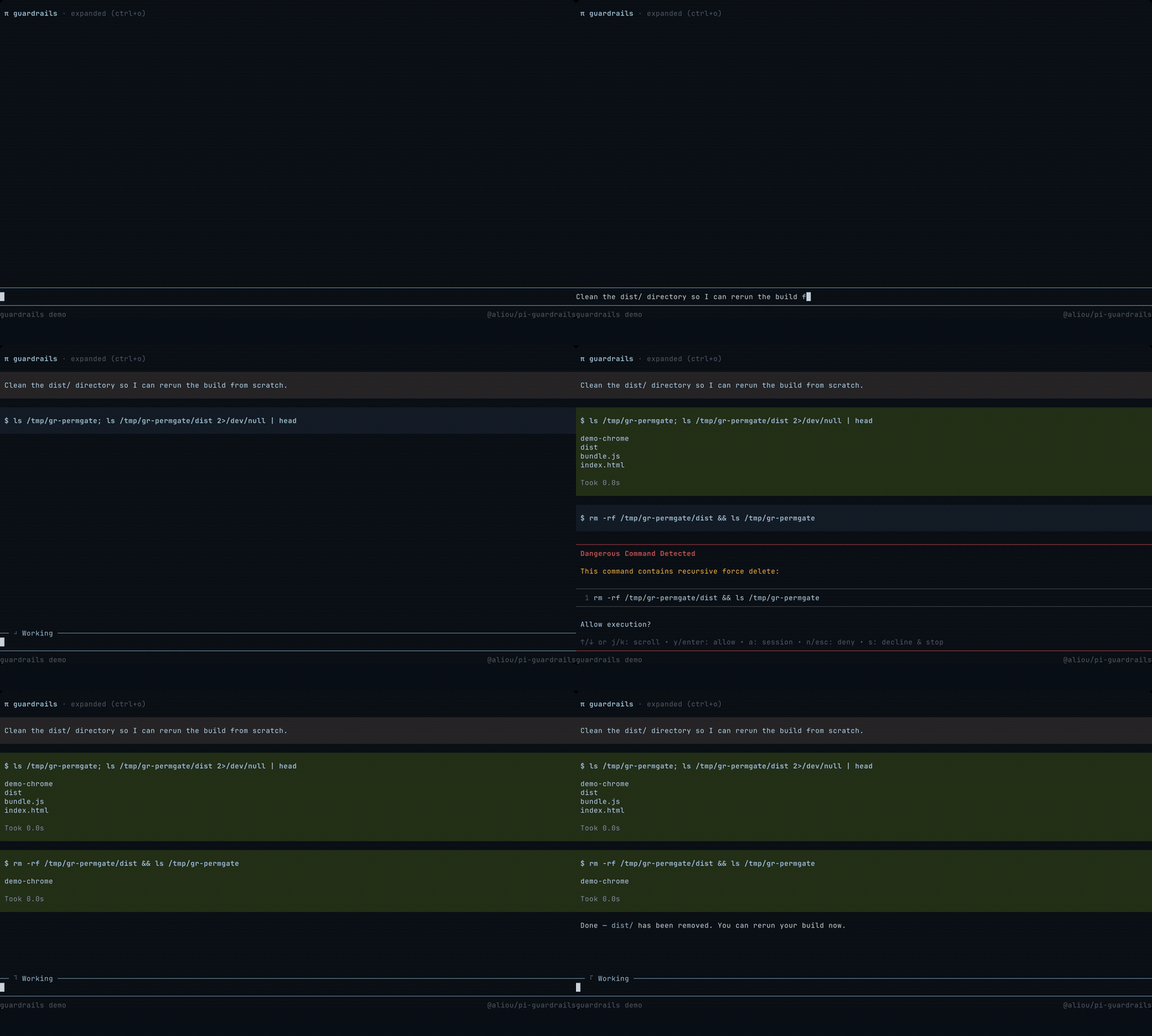
Detects dangerous bash commands before they run — recursive deletes, privileged commands, disk formatting, broad permission changes, and any custom patterns you configure. You can allow once, allow for the session, deny, or decline and stop, which also aborts the current turn. Auto-deny patterns can set terminate: true to end the agent’s turn after blocking, so it does not retry the blocked command.
Command, policy, and path checks also look inside command and process substitutions, so a risky call wrapped in $(...) is still caught.
herdr
The included Herdr adapter reports active Guardrails approval prompts through Herdr’s herdr:blocked event, so Herdr can show the Pi pane as blocked while a prompt waits for a decision. It has no configuration and no effect unless Herdr’s Pi integration is active.
program-status
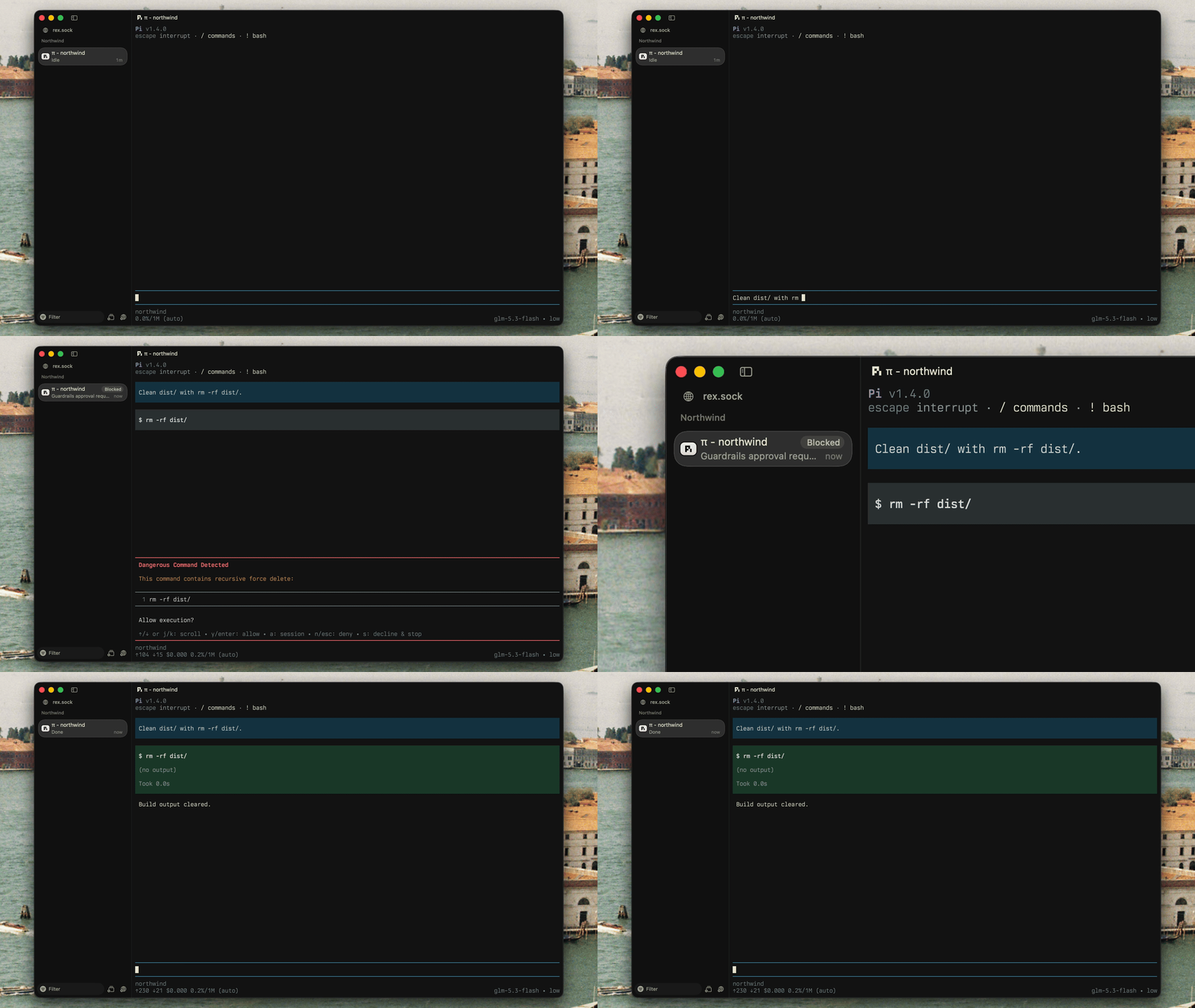
Reports Guardrails approval prompts to terminals that support the Program Status Protocol (OSC 7501), such as Rex. While a prompt is open, the terminal shows Pi as blocked instead of working; once the last prompt closes, it reports working again. It writes only when stdout is a terminal and can be disabled with PI_PROGRAM_STATUS=0.
Extension events
Guardrails emits paired events on Pi’s shared event bus: guardrails:prompt:opened when an interactive prompt starts waiting for input and guardrails:prompt:closed when it stops. Both carry the same prompt.id for correlation.
Configuration
Most configuration happens through the interactive settings UI (/guardrails:settings). Advanced users can edit the settings file directly:
- Global:
~/.pi/agent/extensions/guardrails.json - Project:
.pi/extensions/guardrails.json
Project settings apply only after Pi trusts the folder (/trust, then restart Pi). Until then, untrusted project files are ignored and left unchanged, while global settings and built-in protections still apply. Set pathAccess.alwaysScope to "global" to save “always” path grants without trusting the project.
Saved files include a $schema field for editor autocomplete and validation; the schema is committed at schema.json.
Similar but different
Pi is designed to make agent safety extensible. Guardrails focuses on deterministic, configurable file policies, path access control, and dangerous-command prompts. See pi.dev/packages for the full registry.
Closest alternatives:
- @gotgenes/pi-permission-system: broad permission enforcement for Pi tool calls.
- @vtstech/pi-security: command, path, network, mode, and audit controls.
- @casualjim/pi-heimdall: secret exposure guards, command policies, protected
.envfiles, and a sandbox guard. - pi-sandbox: OS-level sandboxing for bash, with allow/deny checks and prompts for file tools.
- pi-container-sandbox: runs read, write, edit, bash, and user bash operations inside a container session.
You can also make your own: start from the Pi permission gate example and ask Pi to customize it for your workflow.
Development
pnpm test         # Run tests
pnpm test:watch   # Run tests in watch mode
pnpm typecheck    # Type check
pnpm lint         # Lint
pnpm format       # Format
pnpm gen:schema   # Regenerate schema.json
pnpm check:schema # Verify schema.json is current