pi-ts-aperture
Route Pi LLM providers through Tailscale Aperture
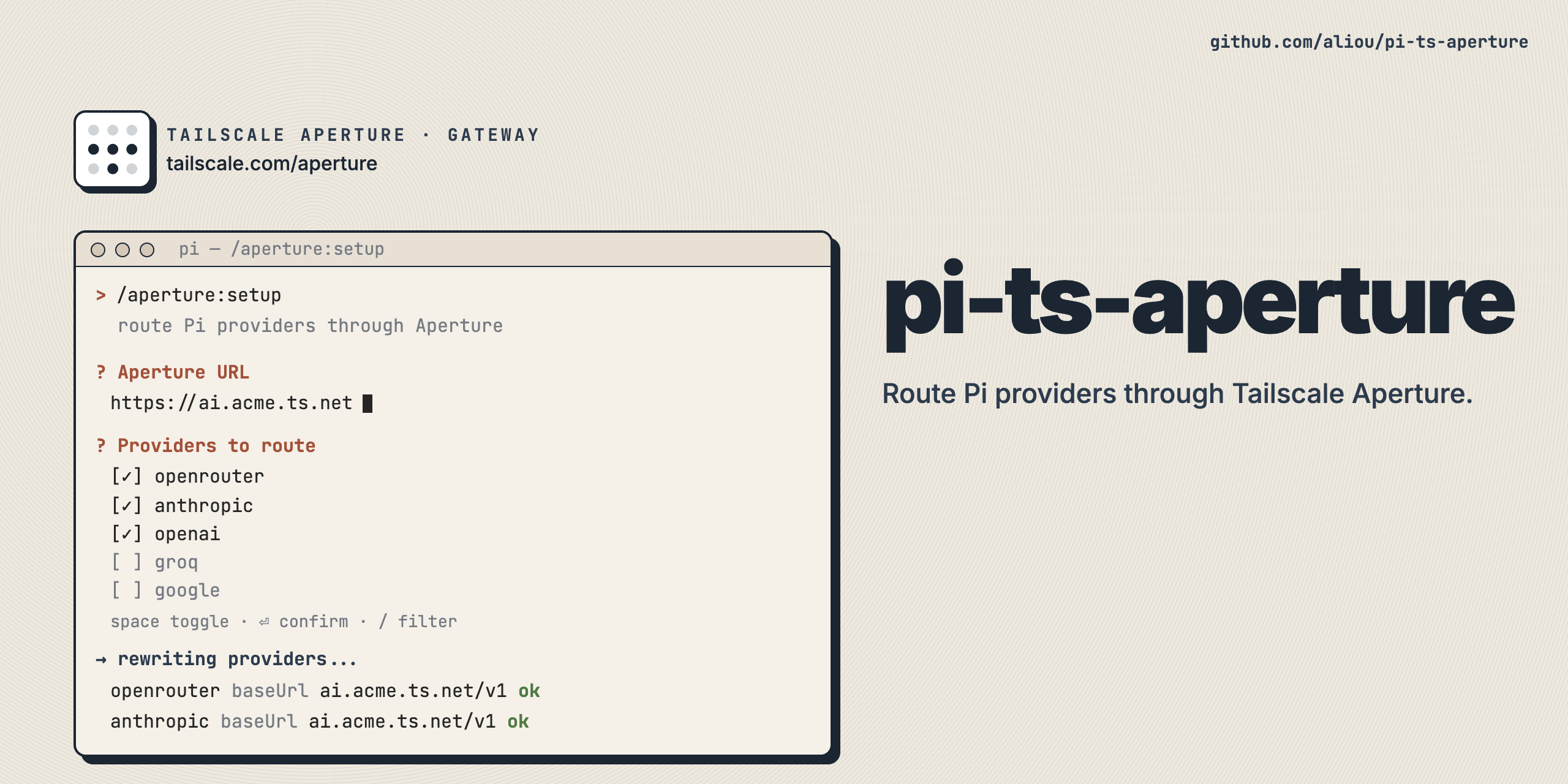
Route Pi LLM providers and MCP tools through Tailscale Aperture, a managed AI gateway on your tailnet.
Aperture handles API key injection and request routing server-side, so Pi never needs upstream provider credentials. This extension offers three capabilities:
- Dedicated (default): a standalone
apertureprovider whose models come from the gateway. - Proxy: reroute existing Pi providers (anthropic, openai, openai-codex, …) through Aperture.
- MCP tools: register the gateway’s MCP server with Pi’s native MCP support, surfacing them as
mcp__aperture__*.
Install
pi install npm:@aliou/pi-ts-apertureFirst run
After installing, run the onboarding wizard:
/aperture:onboarding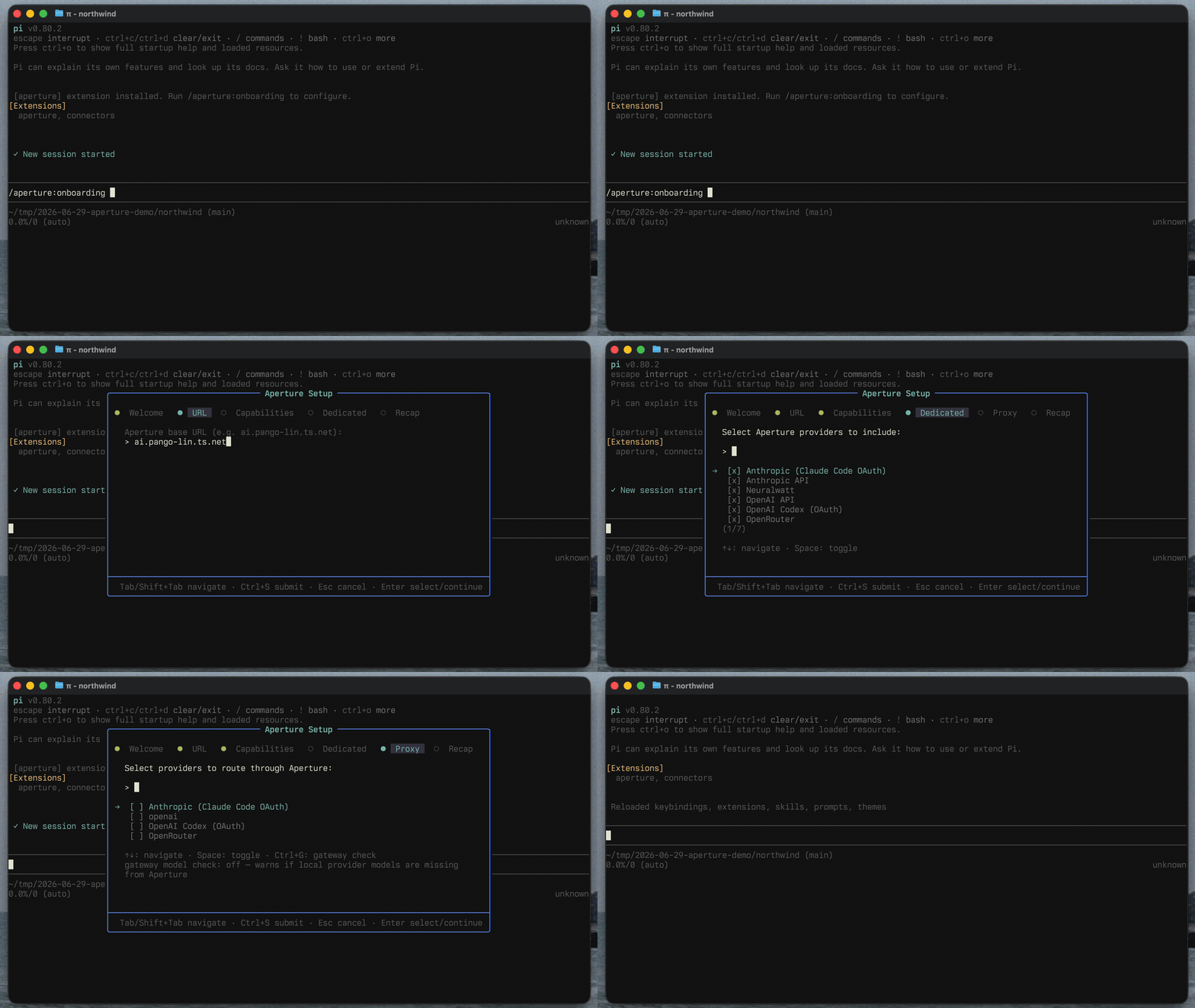
The wizard asks for your Aperture URL (with a health check), lets you pick capabilities, providers, and whether to register the gateway’s MCP tools (off by default), then saves and reloads Pi. You can change everything later with /aperture:settings.
Capabilities
Dedicated provider (default)
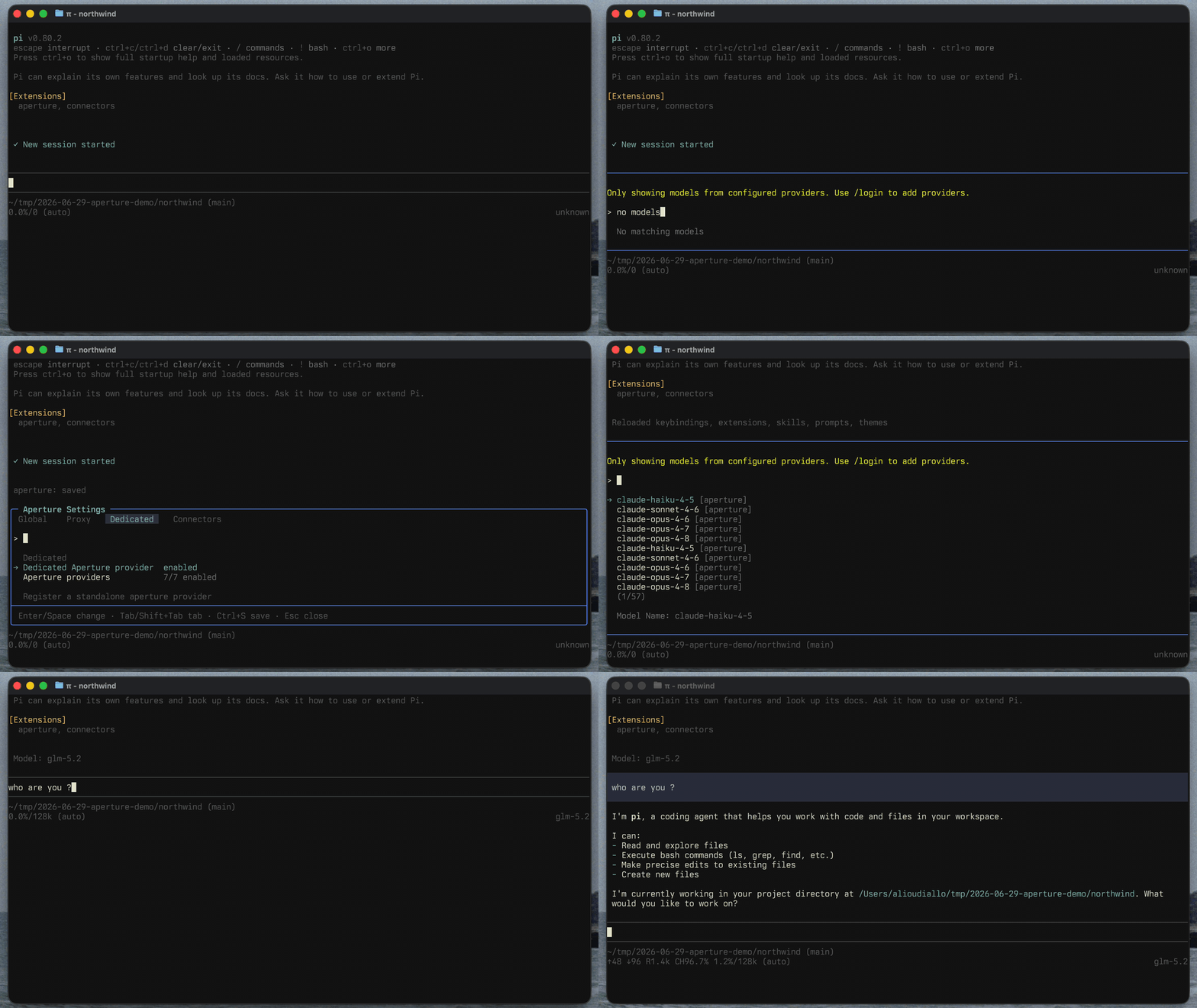
Registers a standalone aperture provider listing the models your gateway exposes. Include all gateway providers or filter to specific ones, and each model is routed through the Pi API that matches its Aperture compatibility.
Capabilities (vision input, reasoning, thinking levels) come from the first source that knows the model: ~/.pi/agent/models.json, then Pi’s model registry, then models.dev, then safe defaults. Costs, the context window, and the output limit come from the gateway where it reports them, because they describe the route Pi calls and a reseller can cap a model below its native capacity. The resolved catalog is cached in Pi’s models store, so models load instantly on startup, even offline.
Proxy existing providers
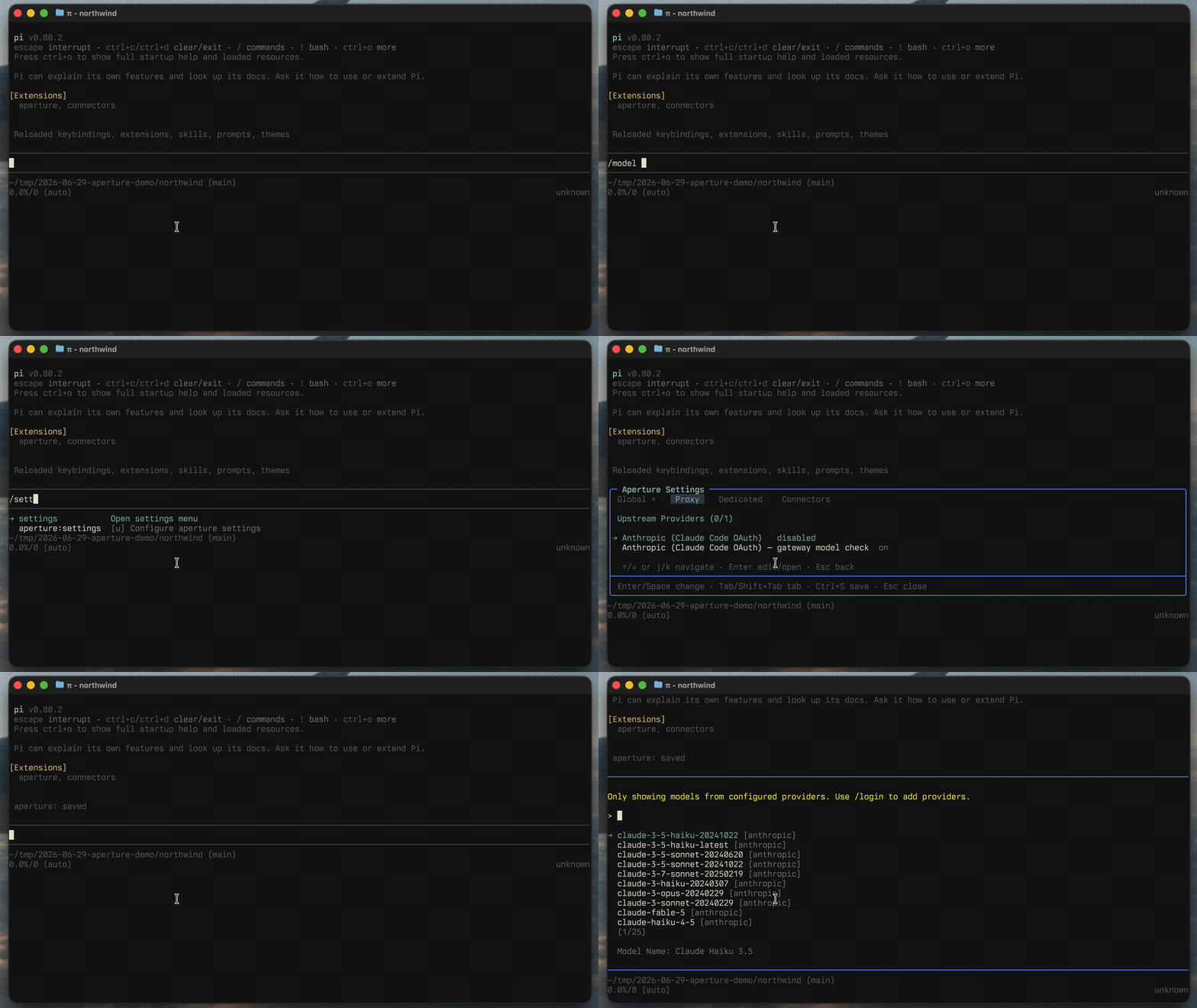
Reroutes existing Pi providers through Aperture. Each provider keeps its own model definitions and settings. Aperture injects server-side credentials or forwards Pi’s native credential for passthrough providers.
Session messages keep the local model ID so Pi can restore the selected model on resume. For each request, the proxy aligns matching prior assistant turns with the gateway-qualified request ID so Pi preserves reasoning and signatures during replay. Turns from other providers, APIs, or models keep Pi’s normal cross-model conversion.
Proxy wrappers are removed on session shutdown and rebuilt on session start. /reload applies gateway changes without retaining wrappers from the prior extension load.
OpenAI Responses passthrough routes support Pi’s Sign in with ChatGPT on Pi 0.99 or later. The extension preserves OpenAI’s native base URL so Pi applies its subscription request rules, then redirects HTTP requests to the gateway through a custom fetch. OpenAI API keys use the same route with Pi’s normal request parameters. Other routes rewrite the model’s base URL to the gateway.
The Proxy tab in /aperture:settings lists gateway providers by name. Exact local matches show disabled until routed, configured routes show their enabled state, and providers without a local match show select. Opening a select row goes straight to a searchable local-provider multi-select; submitting opens routing settings. Other rows open routing settings directly. Use Local Pi providers in those settings to change the selection. When several local providers share a gateway target, each has its own routing settings. A local provider can use a different gateway id (for example, anthropic → anthropic-oauth). Optional per-provider verification warns when configured local models are missing from the gateway. Set keepGatewayModelsOnly: true on a provider to filter those models out of the model picker entirely.
MCP tools
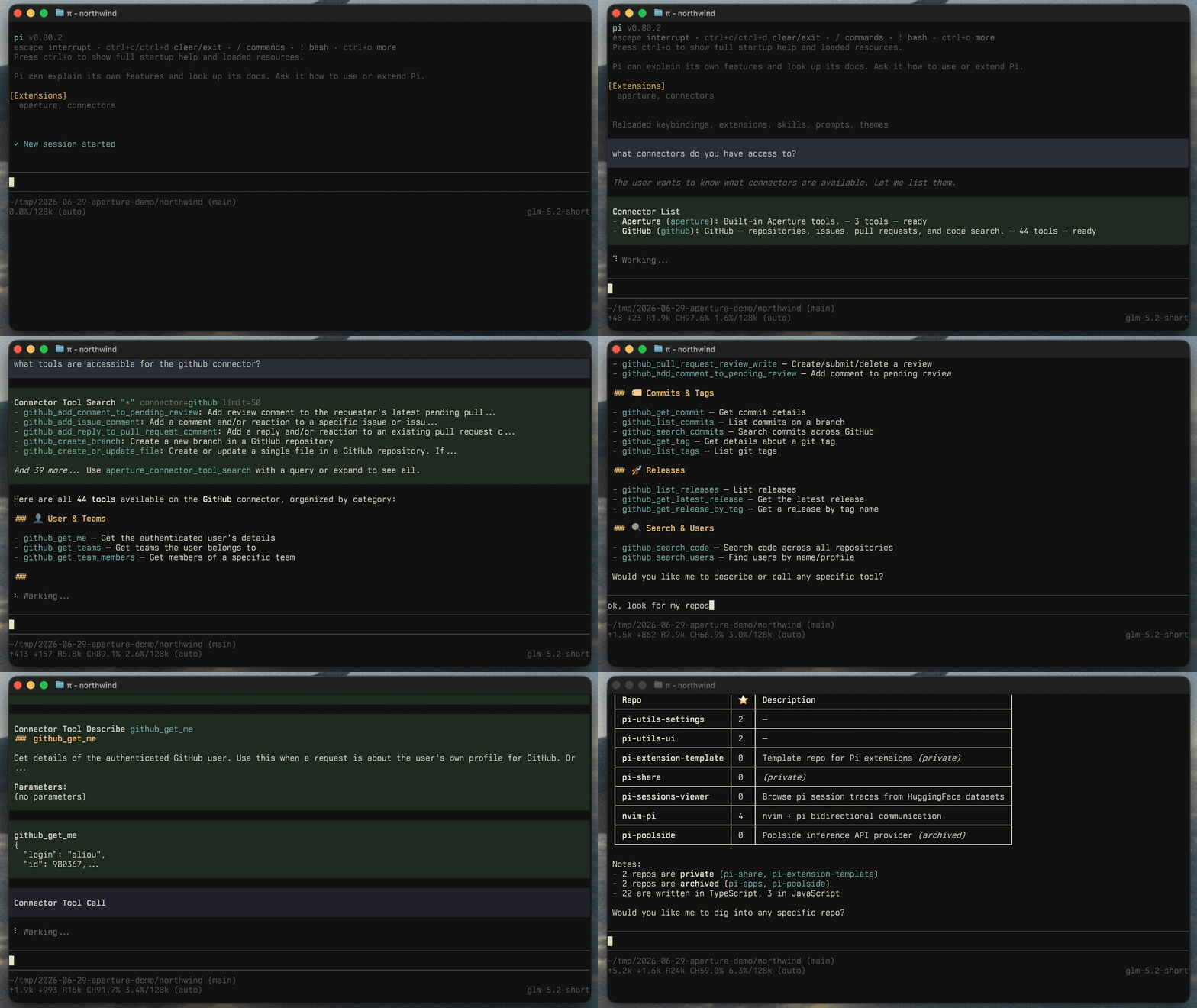
Aperture can expose MCP tools (GitHub, your own internal tools, …) at /v1/mcp. When enabled, this extension registers that endpoint with Pi’s built-in MCP support as the aperture server with deferred exposure: tools surface as mcp__aperture__* and stay out of the system prompt until Pi’s tool_search loads them.
Enable MCP tools in /aperture:settings; the change applies immediately, no reload needed. Manage the connection with /mcp. To pin tools (always declared to the model) or hide them, add a same-name entry to ~/.pi/agent/mcp.json — a file entry takes precedence over the extension’s registration:
{
  "mcpServers": {
    "aperture": {
      "url": "http://ai.pango-lin.ts.net/v1/mcp",
      "exposure": "deferred",
      "toolExposure": {
        "github_list_repos": "direct",
        "github_delete_*": "hidden"
      }
    }
  }
}
toolExposure keys are tool names or * patterns; values are direct (pin), hidden (suppress), deferred (tool_search discovery, the server default), or codemode (script-only). See pi’s tool exposure docs.
Commands
| Command | Description |
|---|---|
/aperture:onboarding | Onboarding wizard. Only available while onboarding is enabled. |
/aperture:settings | Edit connection, capabilities, and providers. |
/aperture:proxy | Shortcut for /aperture:settings on the Proxy tab. |
/aperture:dedicated | Shortcut for /aperture:settings on the Dedicated tab. |
/aperture:mcp | Shortcut for /aperture:settings on the MCP tab. |
Configuration
Configuration is saved globally to ~/.pi/agent/extensions/aperture.json. The settings UI covers everything, but you can also edit the file directly. The APERTURE_BASE_URL environment variable, when set, overrides the configured baseUrl (it is not written back to the config file):
{
  "baseUrl": "http://ai.your-tailnet.ts.net",
  "proxy": {
    "enabled": true,
    "upstreamProviders": [
      { "id": "anthropic", "gatewayId": "anthropic-oauth", "shouldCheckGatewayModels": true }
    ]
  },
  "dedicated": {
    "enabled": true,
    "providers": [
      { "id": "anthropic", "name": "Anthropic", "enabled": true },
      { "id": "openrouter", "name": "OpenRouter", "enabled": true, "api": "anthropic-messages" },
      { "id": "google", "name": "Google", "enabled": false }
    ]
  },
  "mcp": {
    "enabled": false
  }
}
Notes:
proxy.upstreamProviders[].idis the local Pi provider;gatewayIdis the target gateway provider and is required. Existing configs gaingatewayId: idduring migration. Unknown gateway targets are left unrouted with a warning.apertureis reserved and cannot be selected as a pairing target.- Gateway providers that require client authentication forward the local provider’s credential (including Pi OAuth); other providers use server-side credential injection.
keepGatewayModelsOnly(per proxy provider, defaultfalse) hides that provider’s local models the gateway doesn’t serve instead of letting them fail at request time. Also editable per provider from the Proxy tab in/aperture:settings.api(per provider, unset by default) routes that provider’s models through a specific Pi API (openai-completions,anthropic-messages,openai-responses,google-generative-ai,google-vertex,bedrock-converse-stream) instead of the one auto-picked from the gateway’s compatibility map. Useful for providers Aperture serves through more than one API. Only values the provider reports as supported are offered in/aperture:settings; an override the gateway stops serving falls back to auto with a warning.- An empty
dedicated.providerslist means all gateway providers are included. Passthrough providers are excluded: the dedicated provider never forwards a client credential. - Model metadata belongs in
~/.pi/agent/models.json, not in the extension config. - Requests include
Refererandx-session-id(the live Pi session id, injected per-request via thebefore_provider_headershook) for grouping requests in the Aperture dashboard. Turn them off with"shouldSendProvenanceHeaders": falseor the Provenance headers toggle in/aperture:settings. Independent of that setting, the headers are skipped whenever Pi telemetry is disabled (PI_TELEMETRY=0orenableInstallTelemetry: falsein Pi settings) — the same gate Pi uses for its own provider attribution headers. - No API keys are stored: Aperture injects upstream credentials server-side. Pi OAuth credentials still take precedence when available.
Requirements
- A Tailscale tailnet with Aperture configured.
- The device running Pi must be able to reach your Aperture endpoint.
- Use the URL/scheme that matches your deployment (
http://orhttps://).